Each of these is a full security capability on its own. You’re getting all twelve as part of your subscription. Here’s what each one is doing, in plain English, and where to find it in your dashboard.
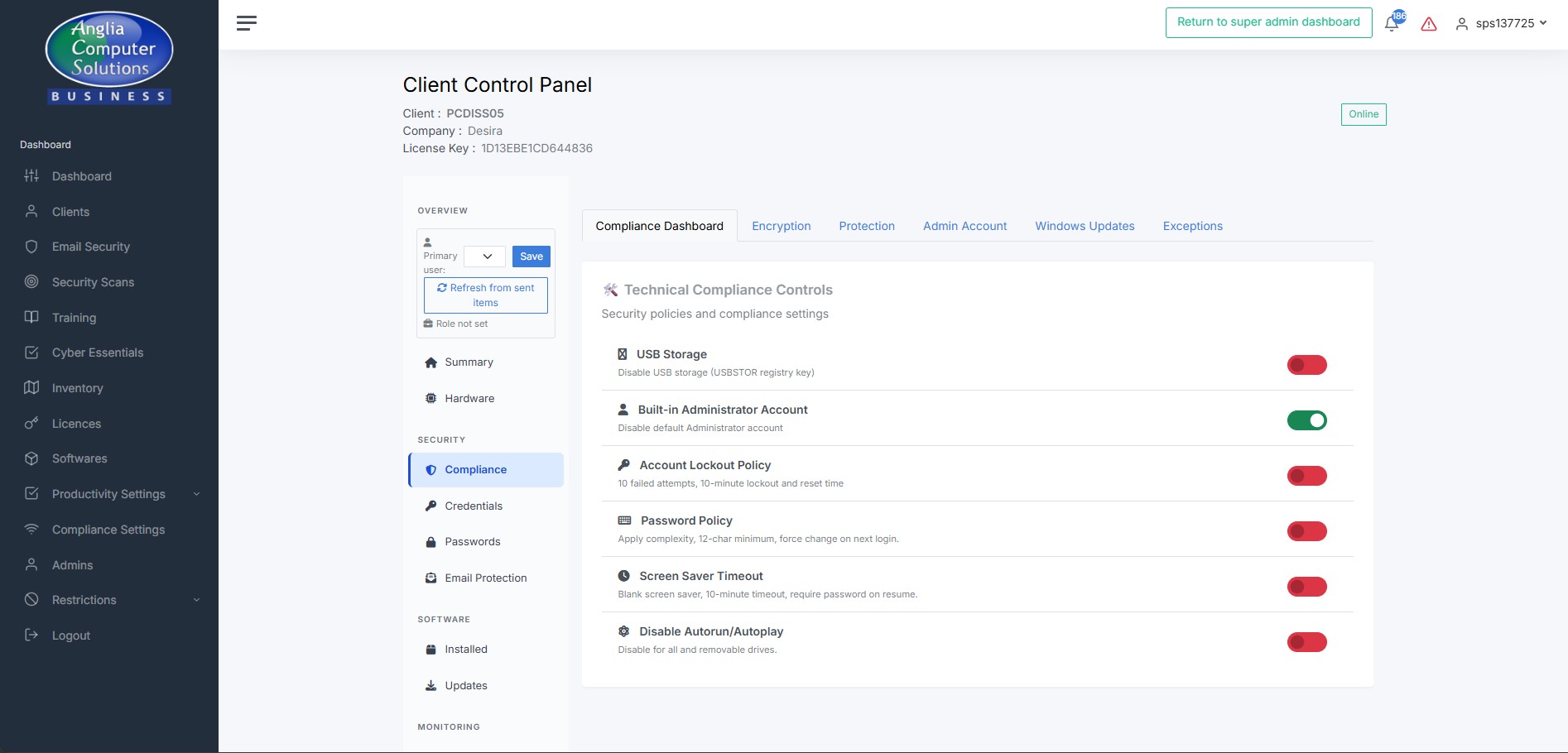
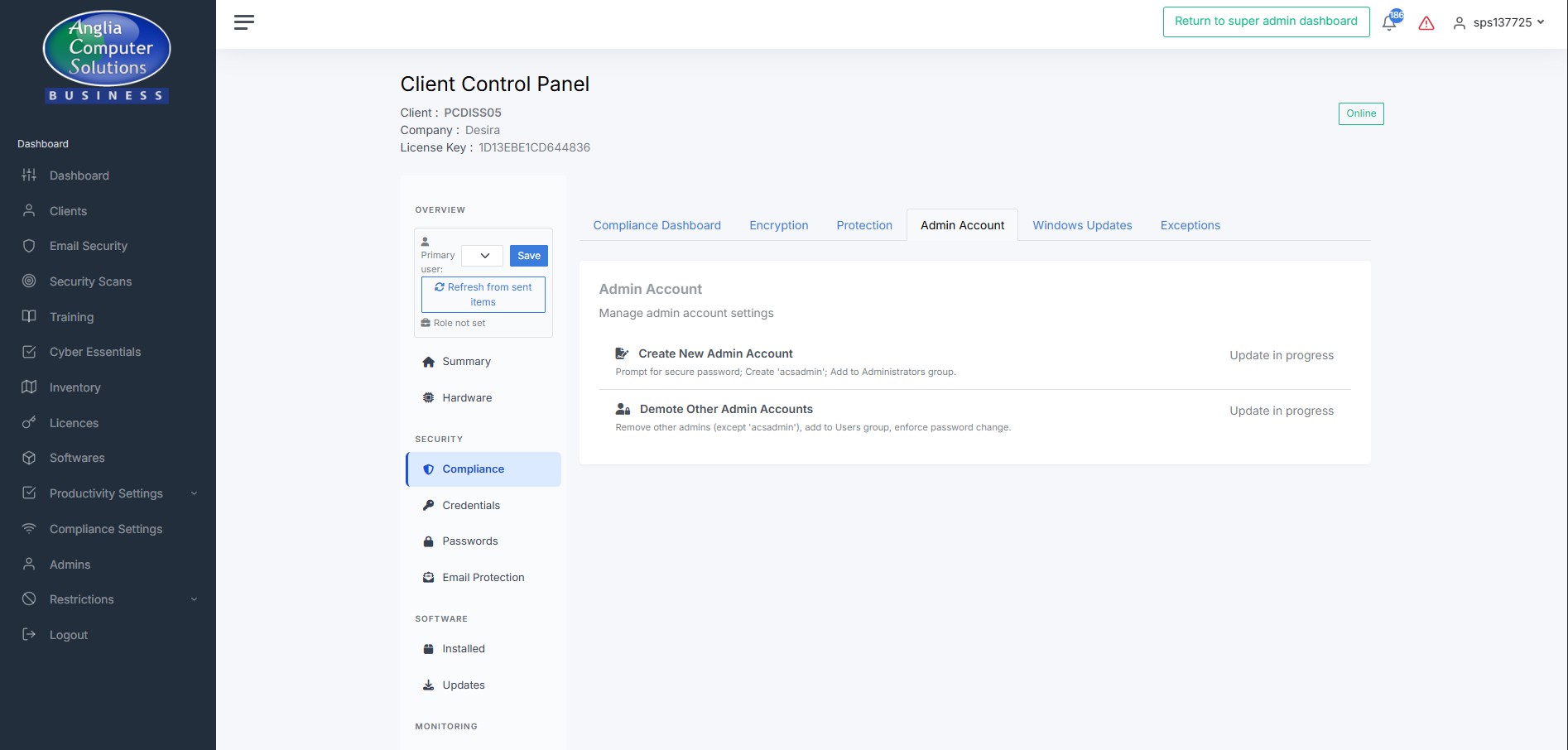
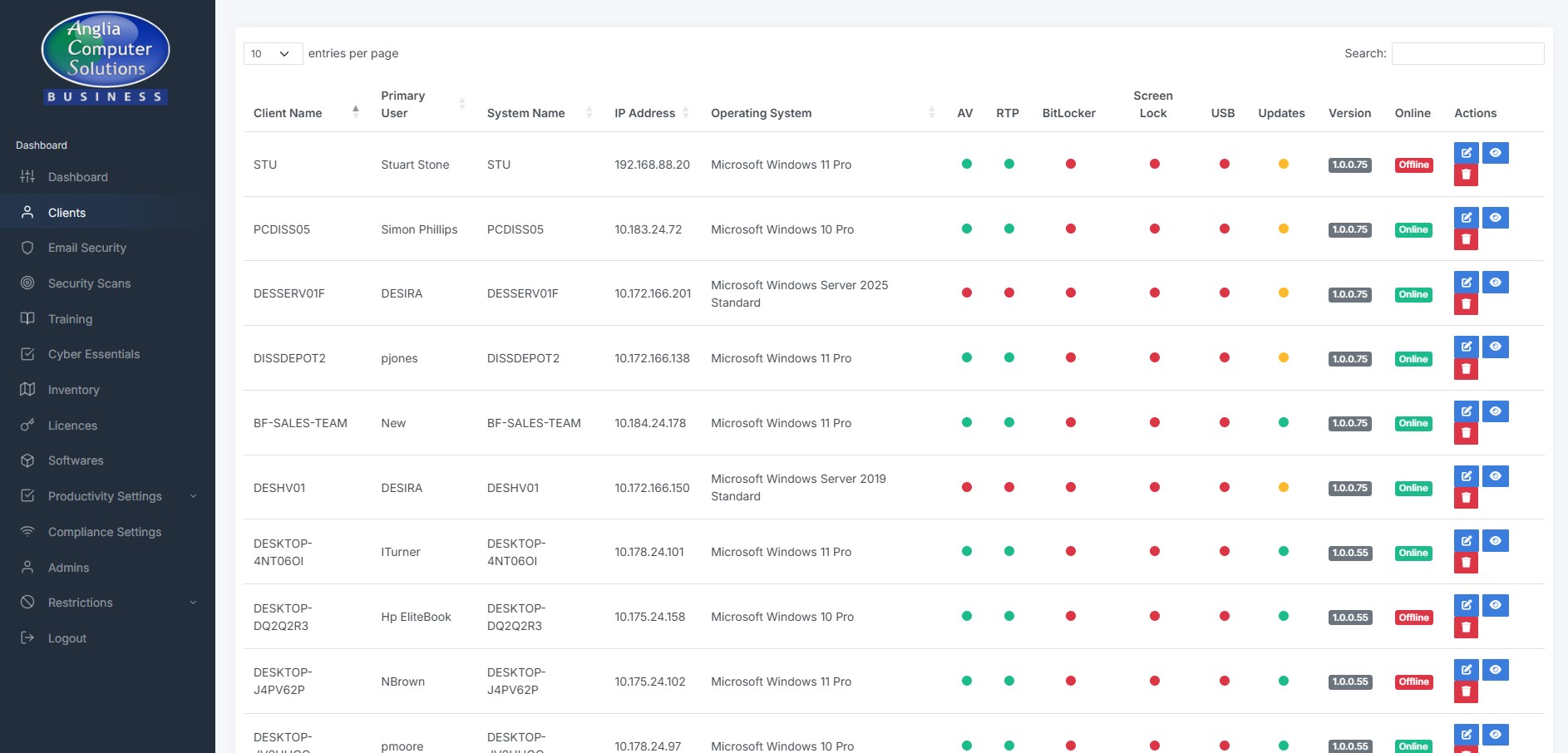
Every Windows machine in your business is kept to a strict compliance baseline. If someone tries to turn off BitLocker, re-enable a USB drive, or change screen-lock settings, we quietly put it back on the next boot. Policies you’ve formally authorised an exception for are respected — but the audit trail remembers who approved what.

If a machine’s Windows Defender falls behind on signature updates or hasn’t had a scan, we don’t just tell you. SSM runs the updates, runs the scan, and removes any detected threats — as SYSTEM, in the background. You only hear about it if we’ve tried twice and still can’t fix it.

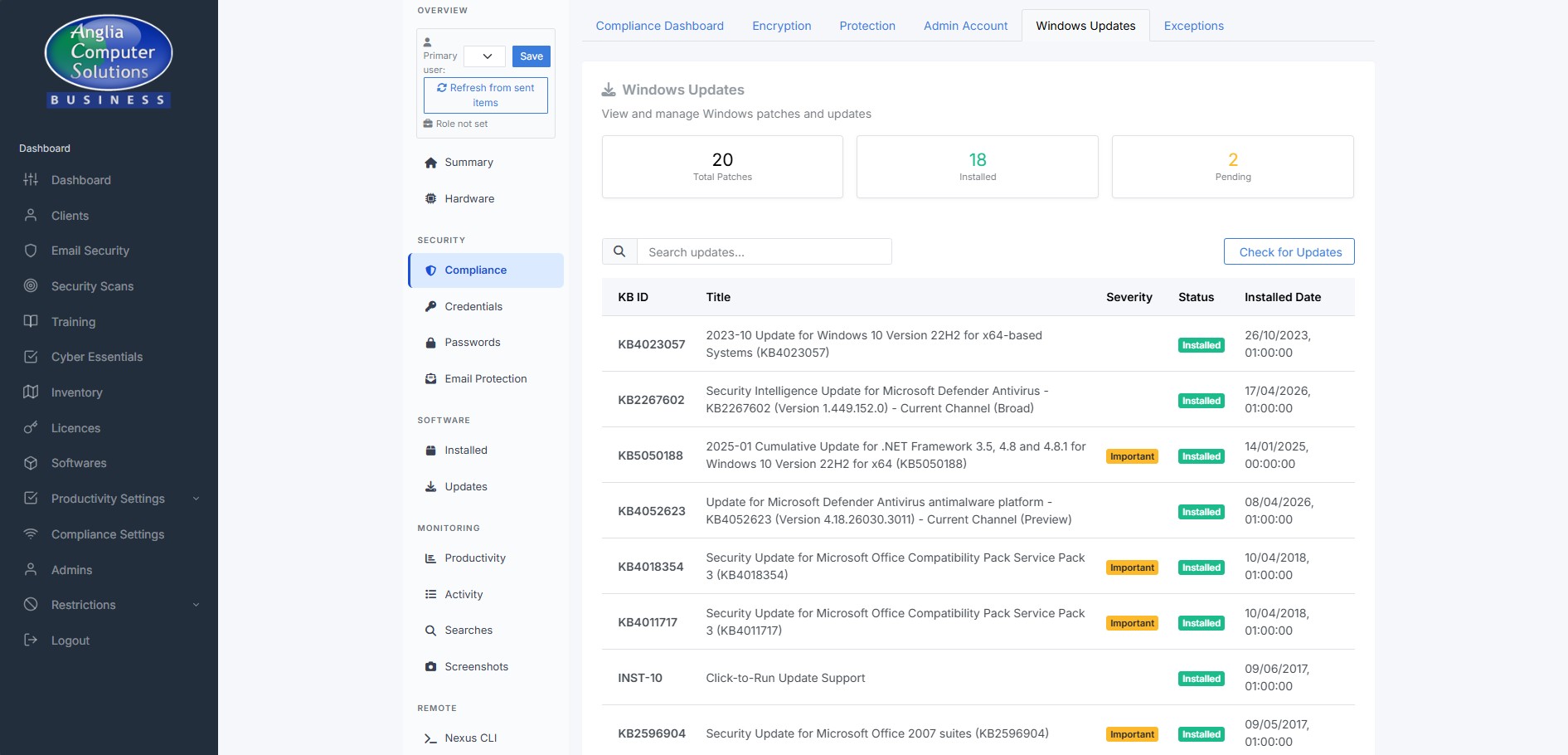
We spot Windows Updates that have been stuck on a machine for two weeks or more and force them through using PowerShell as SYSTEM. If the update still won’t install after two attempts, ACS support gets an automatic alert so we can intervene. Your dashboard shows you which machines are up to date, which are pending, and which need attention.

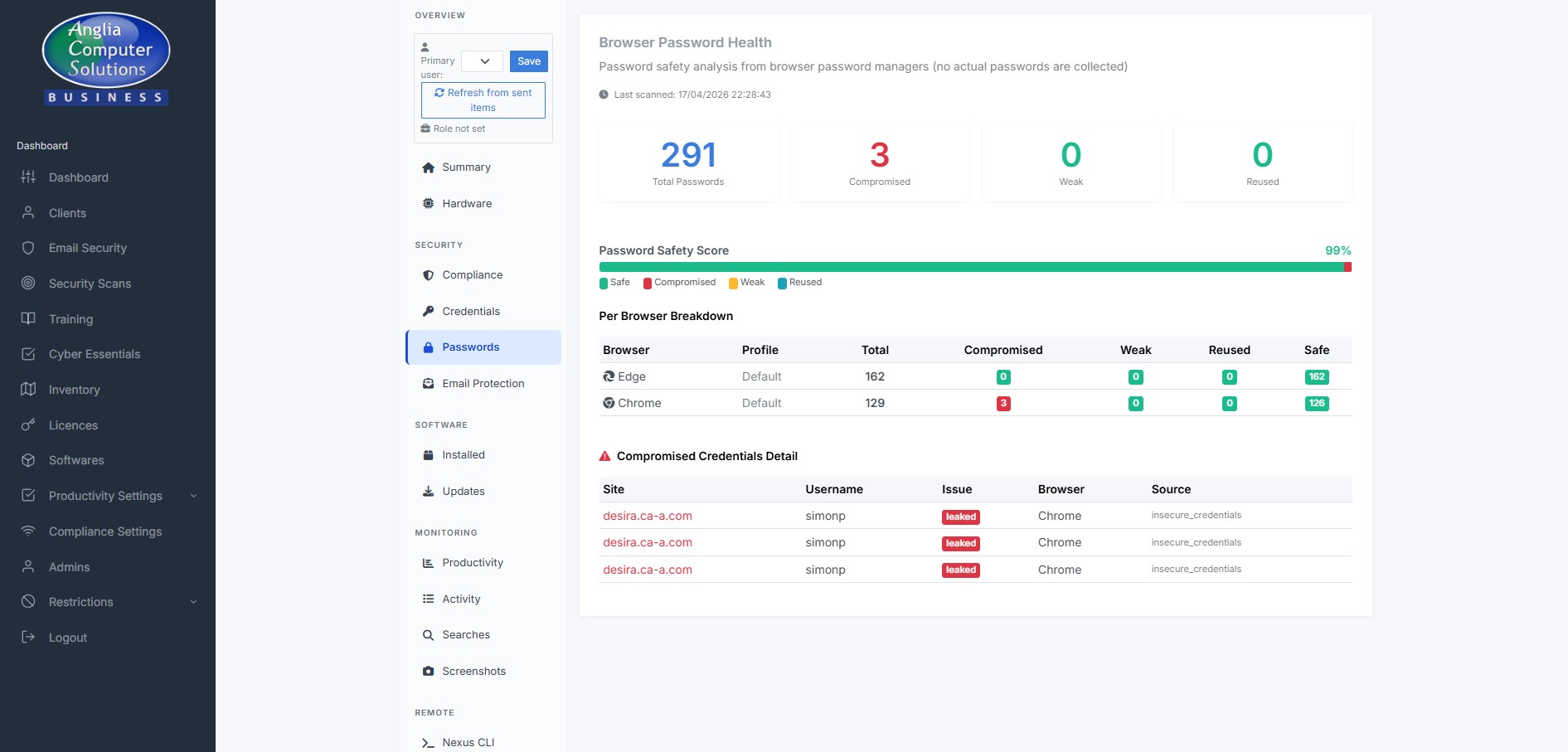
Your staff save passwords in Chrome, Edge and Brave like most people do. We scan the browser’s own metadata (not the passwords themselves) and cross-check them against the Have-I-Been-Pwned breach database. If a password’s been leaked elsewhere, you get a flag against that user — and can ask them to change it.

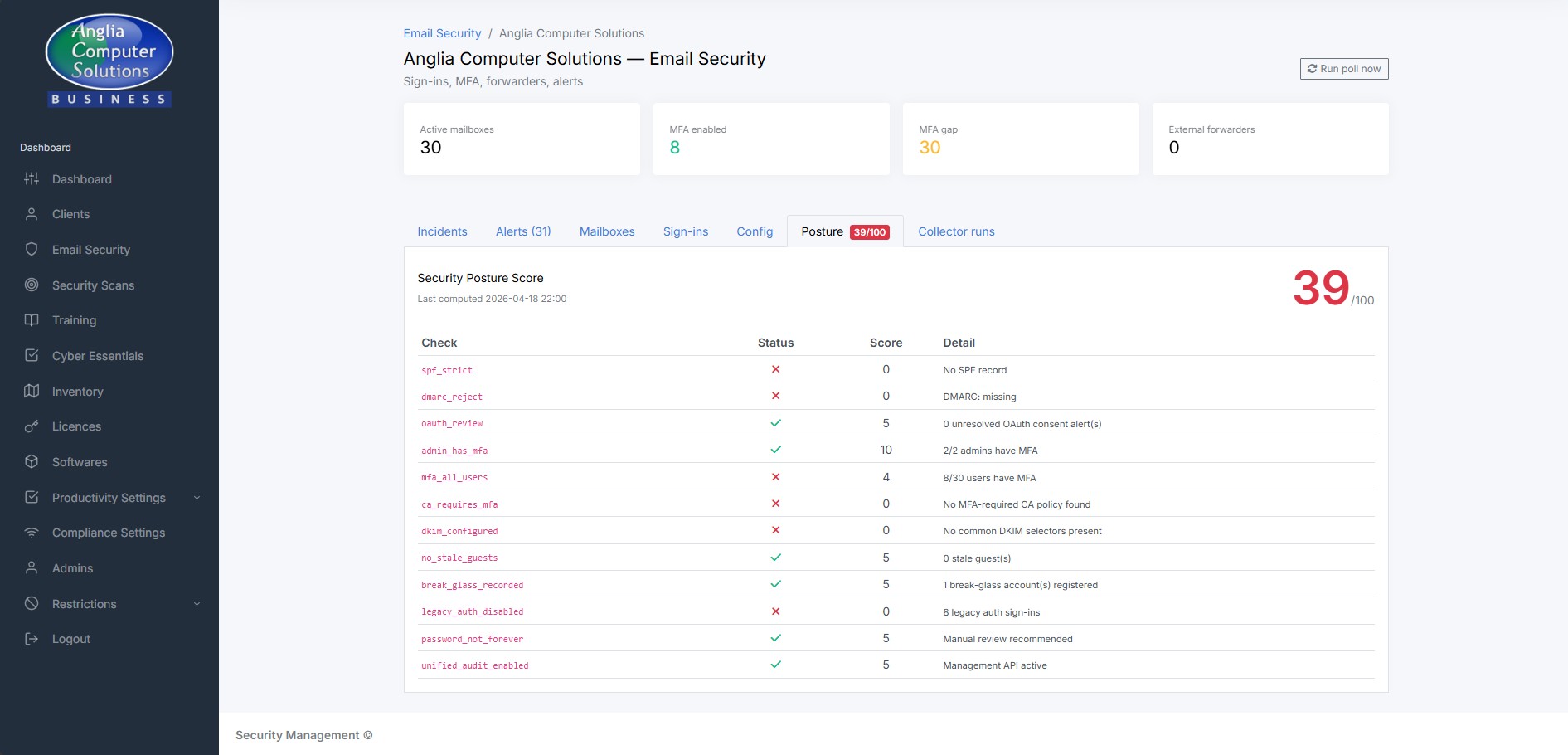
Attackers rarely break into modern mail servers — they trick your users into granting them access. We monitor your M365 tenant for the tell-tale signs: mailboxes without MFA, external forwarders that have appeared out of nowhere, dodgy OAuth app grants, mail-flow rules that have been changed. When we can, we fix the problem automatically; when we can’t, you get a prioritised alert.

The weakest link in most breaches is a well-meaning member of staff. We run regular phishing simulations that your spam filter won’t catch (we deliver them directly via Microsoft Graph, the same way real attackers often do). If someone clicks, we don’t shame them — they get a short, helpful training module. If someone submits credentials, we record only that fact, never the password.

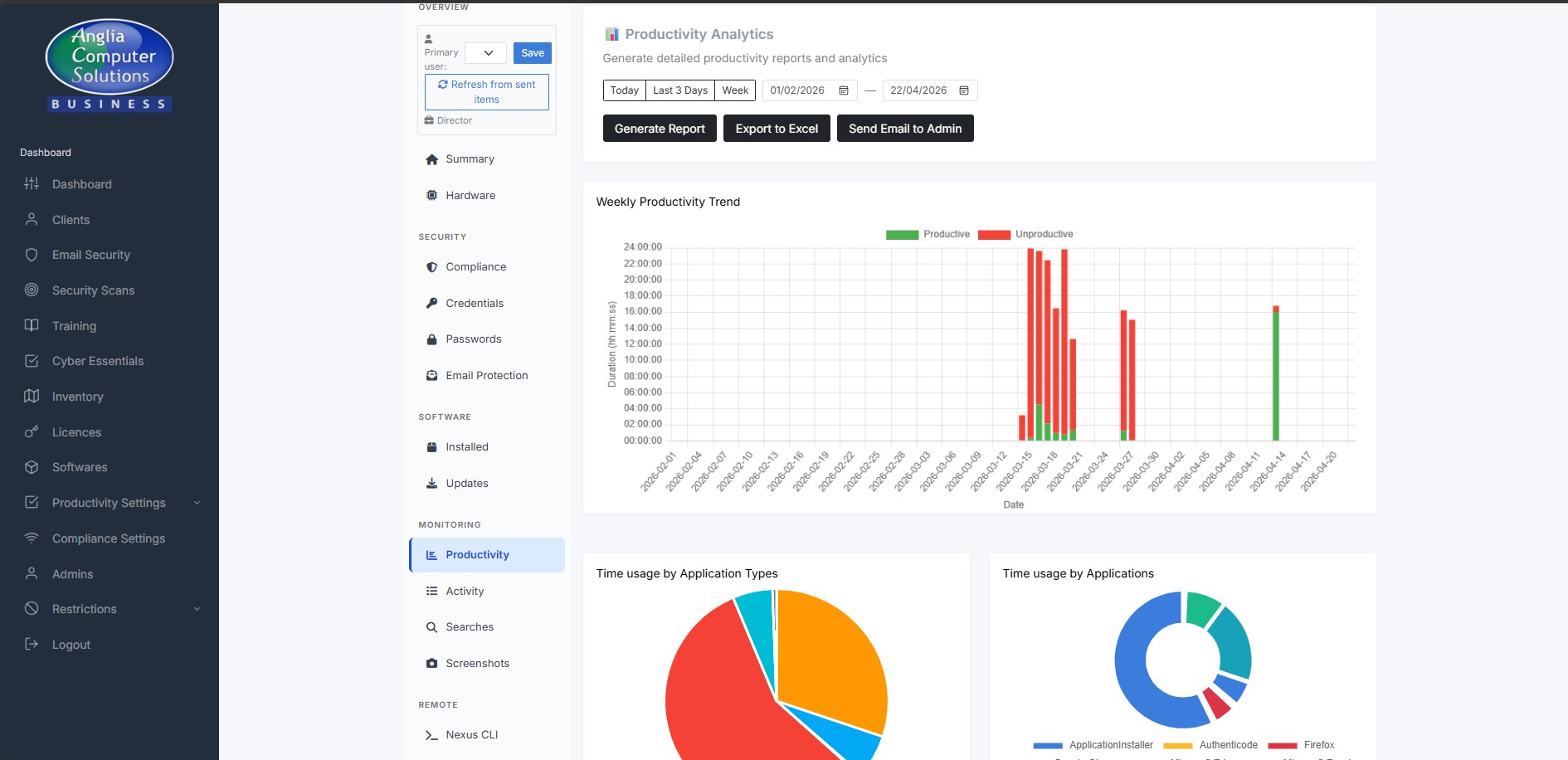
Get an honest view of how time is actually spent across your team. Which apps and websites are getting used, when people are focused and when they’re idle, whether they’re at work during their stated hours. The Live View lets you see a current desktop stream if you ever need to. Designed as a coaching tool, not a surveillance tool — every feature is explainable and defensible to your staff.

When a machine needs attention, we don’t need to sit next to it. The Nexus terminal on the dashboard lets ACS support run commands on any of your endpoints (with your authorisation) in either the user session or as SYSTEM. SimpleHelp is already installed for full remote-control sessions. No disruption to your staff.

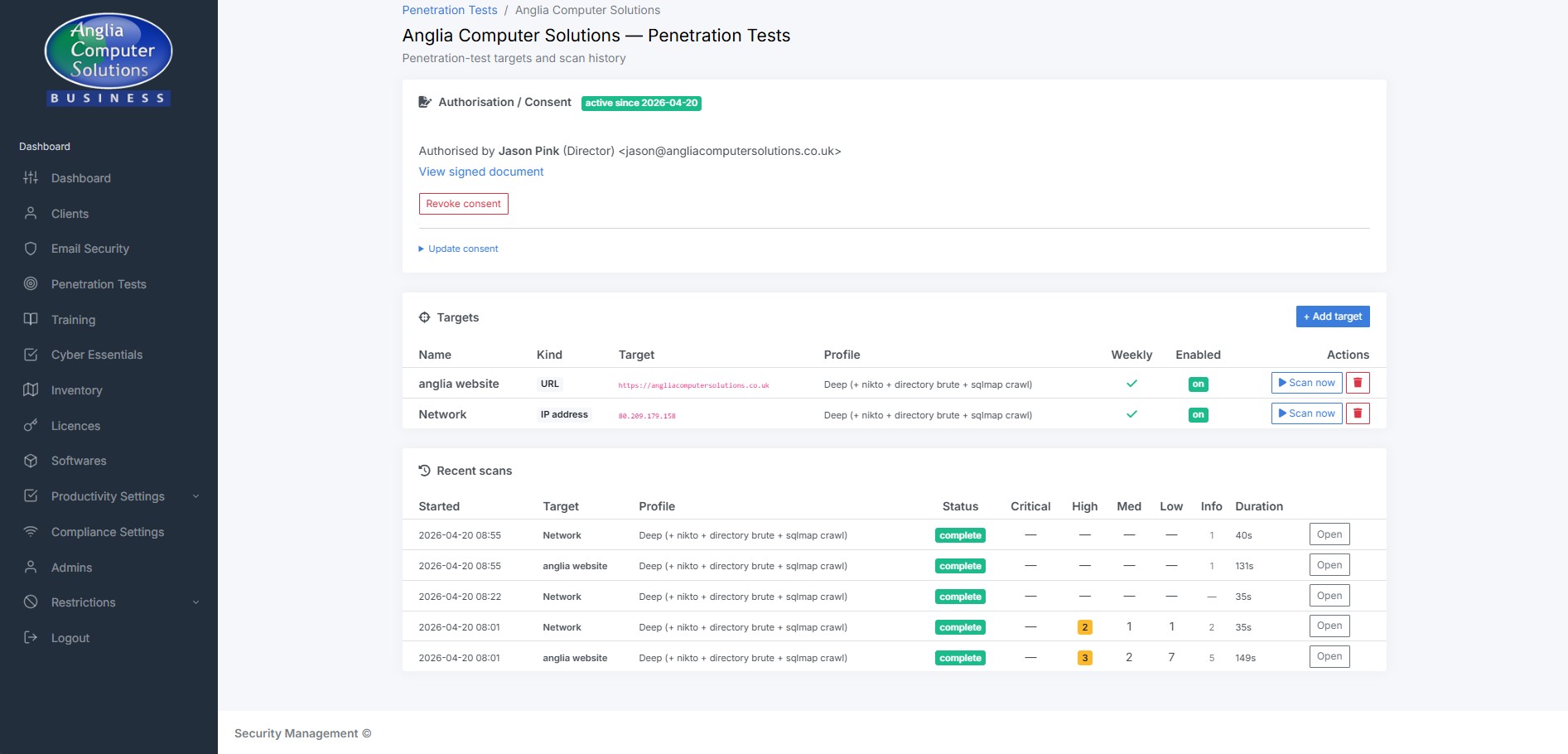
Once you’ve given us consent in writing, SSM runs a suite of industry-standard penetration-test tools against your internet-facing infrastructure every week. We use nmap, nuclei, testssl.sh, nikto, sqlmap and others. The noisy tests run only between 10pm and 6am UK time so they don’t disrupt working hours. You get a weekly report showing only what’s new — not a 400-page dump.

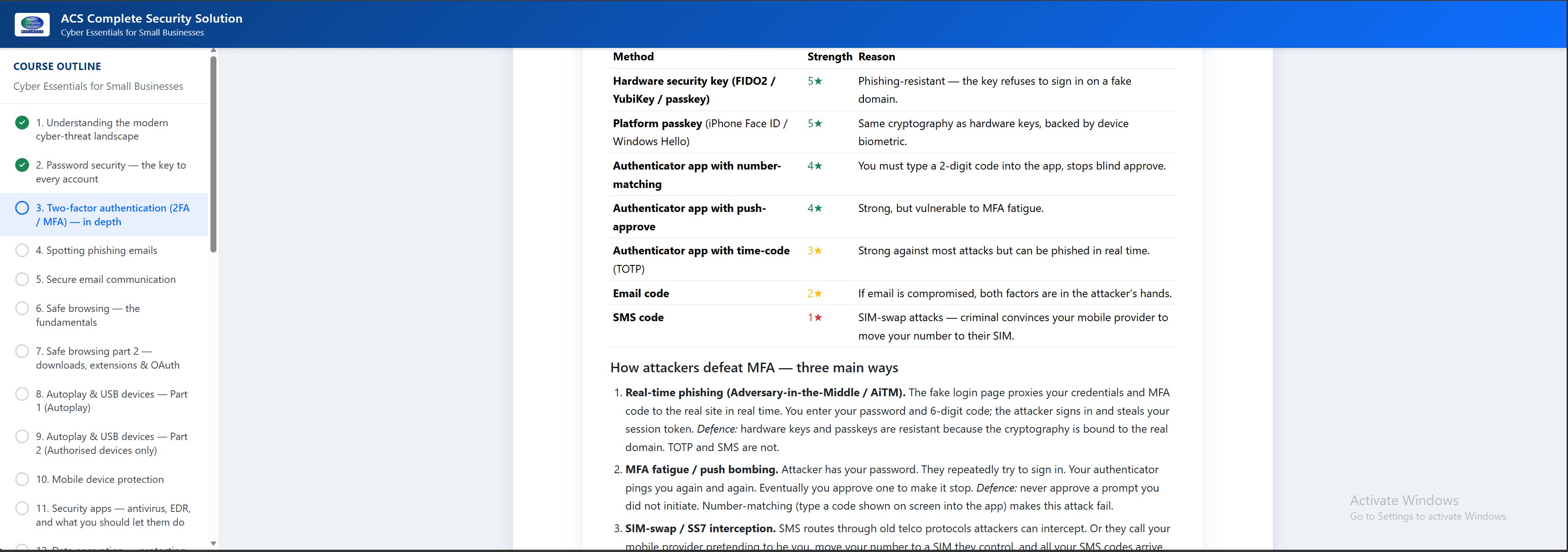
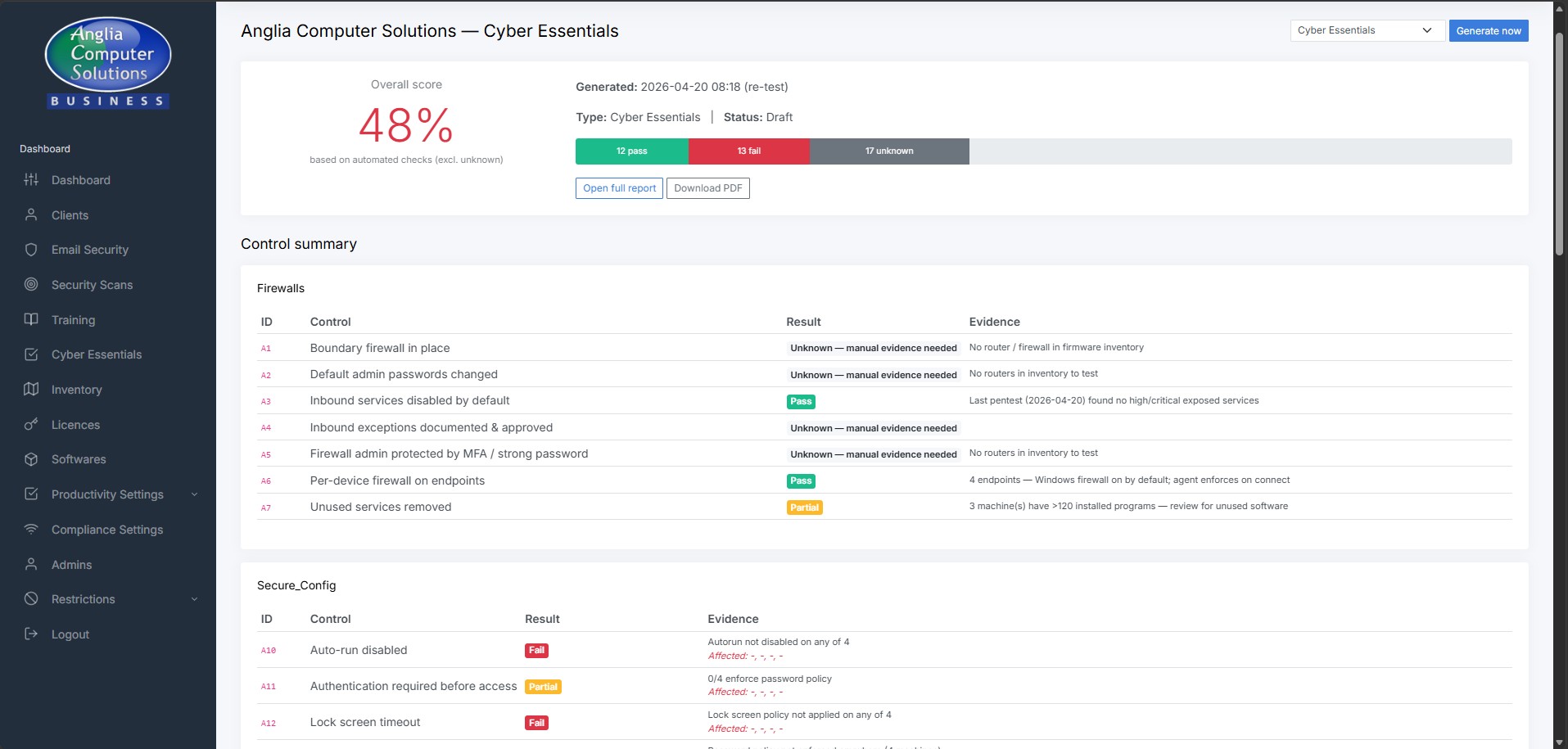
Cyber Essentials asks a long list of technical questions about your environment. Because SSM already knows the answers from the data it collects every day, the Danzell v16 question set is pre-populated for you. When renewal time comes, you answer the few questions that are genuinely organisational — and we provide a clean evidence pack for your assessor.

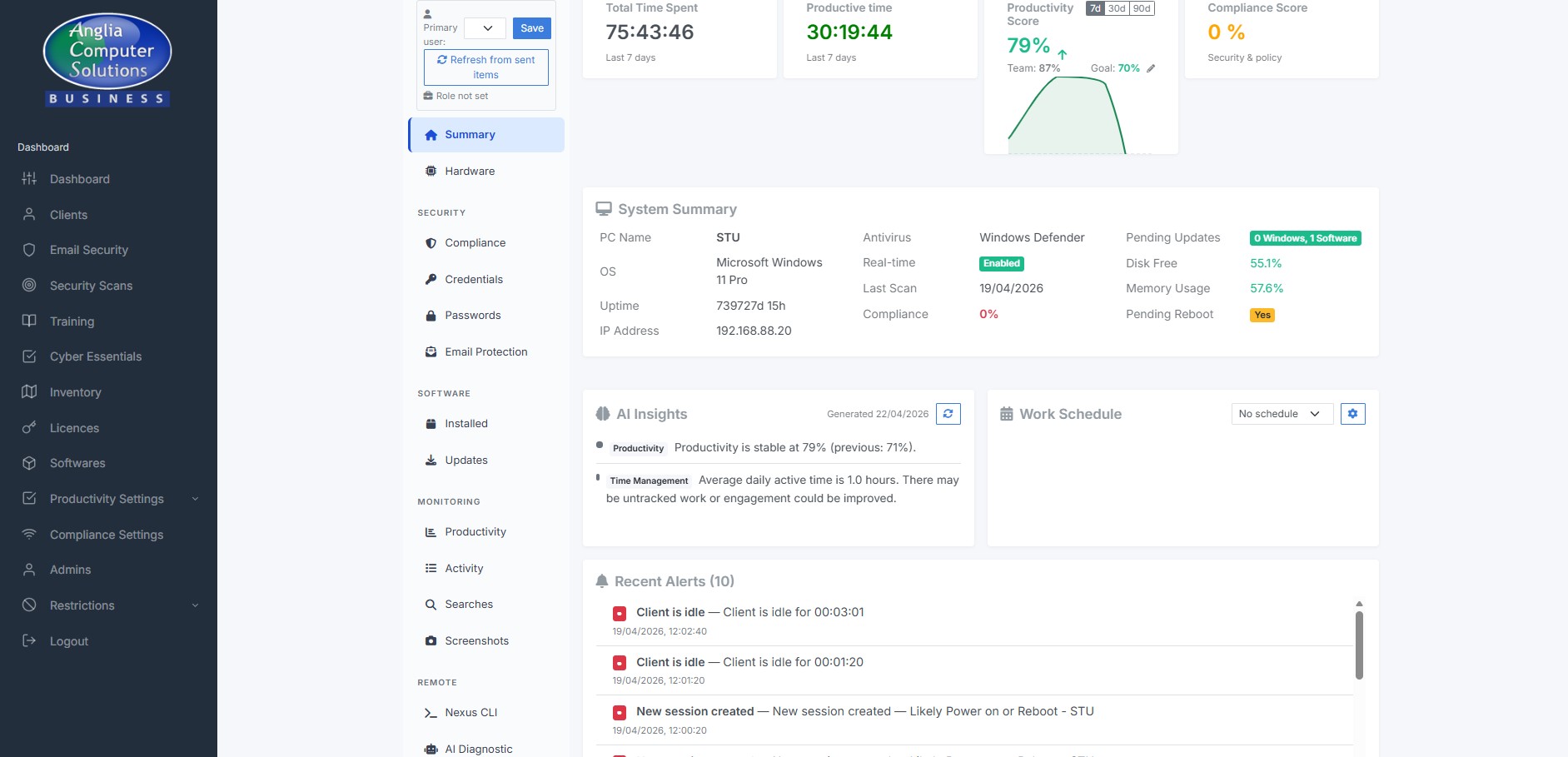
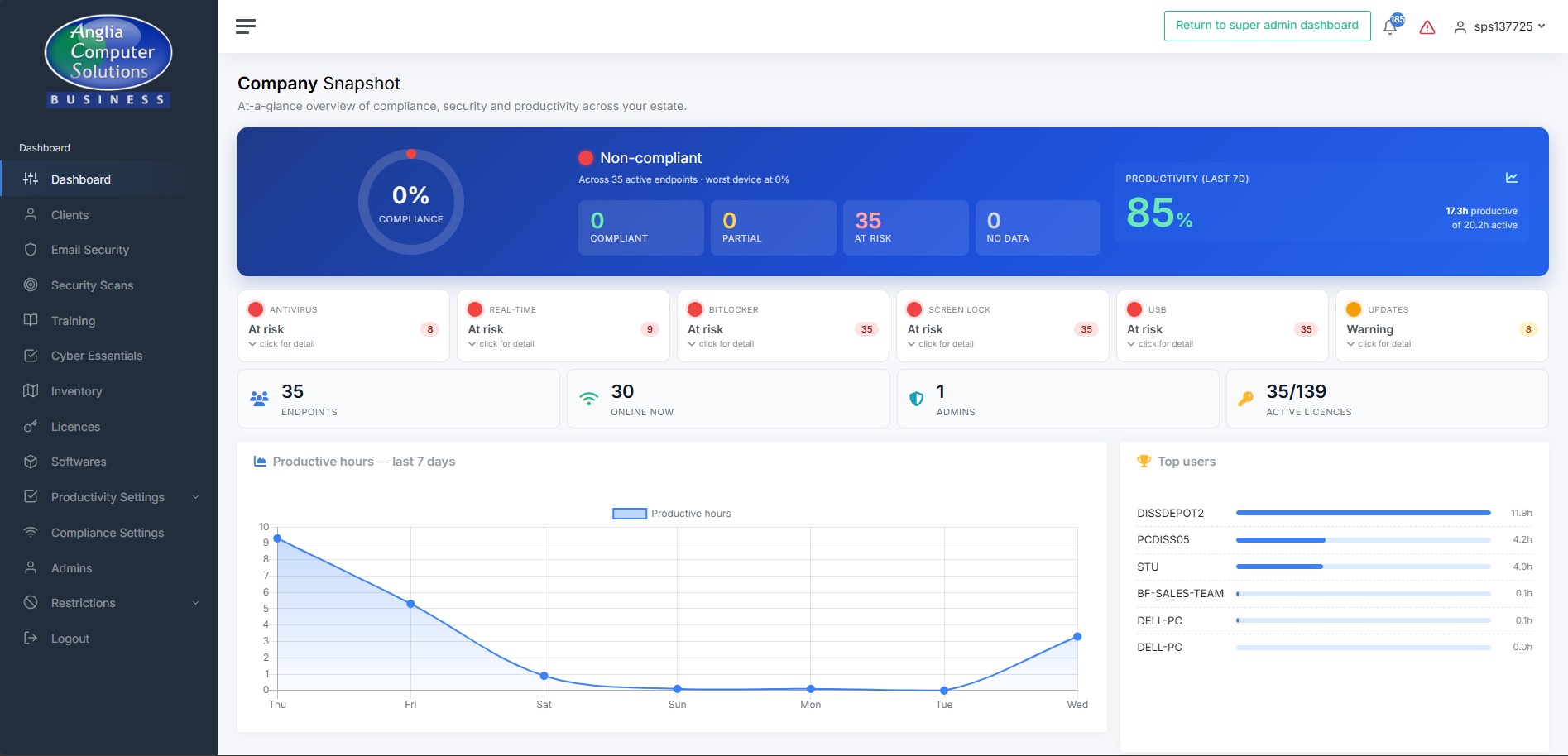
Your dashboard has three depths. The Company Snapshot gives you six traffic lights showing the health of your whole estate at a glance. The machine list breaks it down device by device. The Machine Control Panel has 14 tabs of detail on a single device. Every number is drillable, every action is audited, every historical decision is logged.

Adding a new machine to your estate is as simple as running your company’s installer on it. The agent auto-registers itself, installs SimpleHelp for remote support, enrols in your tenant and starts protecting the machine within minutes. Silent auto-updates keep it current. A watchdog makes sure it restarts within 60 seconds if anything ever crashes — you won’t ever need to “have you tried restarting it?” your staff.

Everything above is already active on your estate. Log in to see it, or let support know if you’d like a walkthrough of any specific feature.